LLAMA2(Meta大语言模型)可运行整合包的下载与安装
Windows10+消费级显卡可用
一、工程
github工程:
https://github.com/facebookresearch/llama
LLAMA2可运行整合包(Windows10+消费级显卡可用)
*现在只包括7B模型,会补充其他模型
文件夹下载
百度网盘链接:https://pan.baidu.com/s/1g1xknRdeHWPsAeZl9urXxg?pwd=ig7p
压缩包下载
百度网盘链接:https://pan.baidu.com/s/19gPNTTPc6cAdM2DLfmaE0w?pwd=w2me
夸克网盘链接:https://pan.quark.cn/s/b6ceb2c6211b
二、安装步骤
1,环境
在Linux机器上安装机器学习的环境
2,下载
运行代码下载工程
git clone https://github.com/facebookresearch/llama
3,下载模型
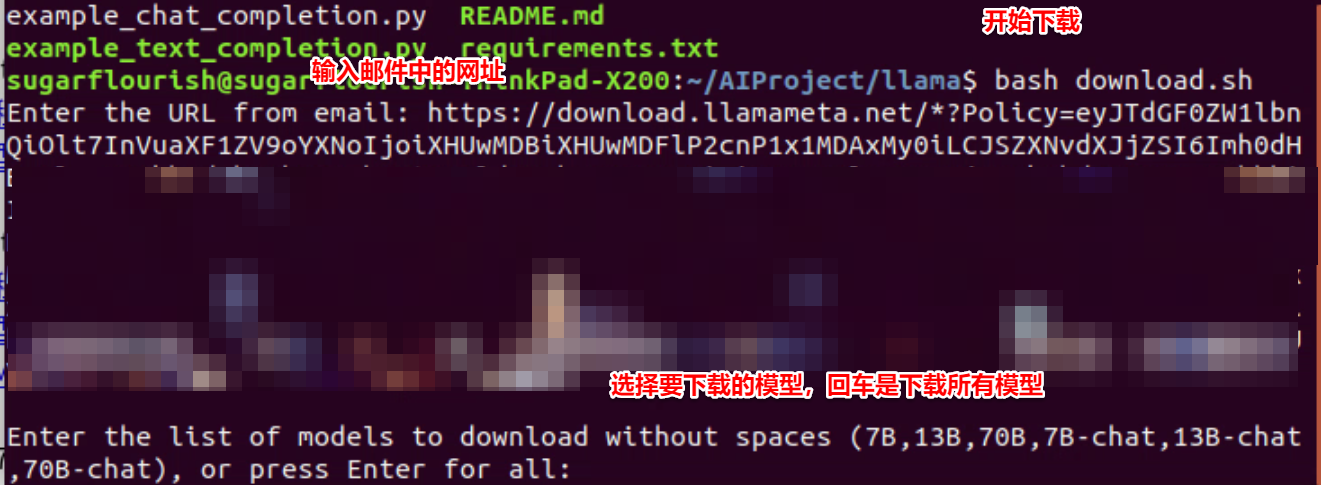
1)进入工程目录运行download.sh
bash download.sh
2)填入收到的邮件中的链接
https://download.llamameta.net/*?Policy=ey…
3)选择要下载的模型
6,安装
在目录\llama2 下,执行
pip install -e .
三、运行
1,参数:
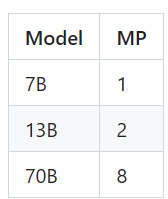
根据模型选择MP值
2、根据操作系统修改文件
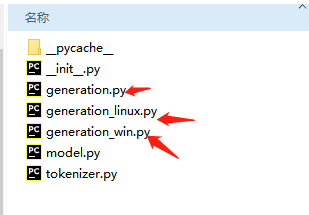
1)在目录..\llama\generation.py 下
根据你的系统,把generation_linux.py或者generation_win.py修改为generation.py
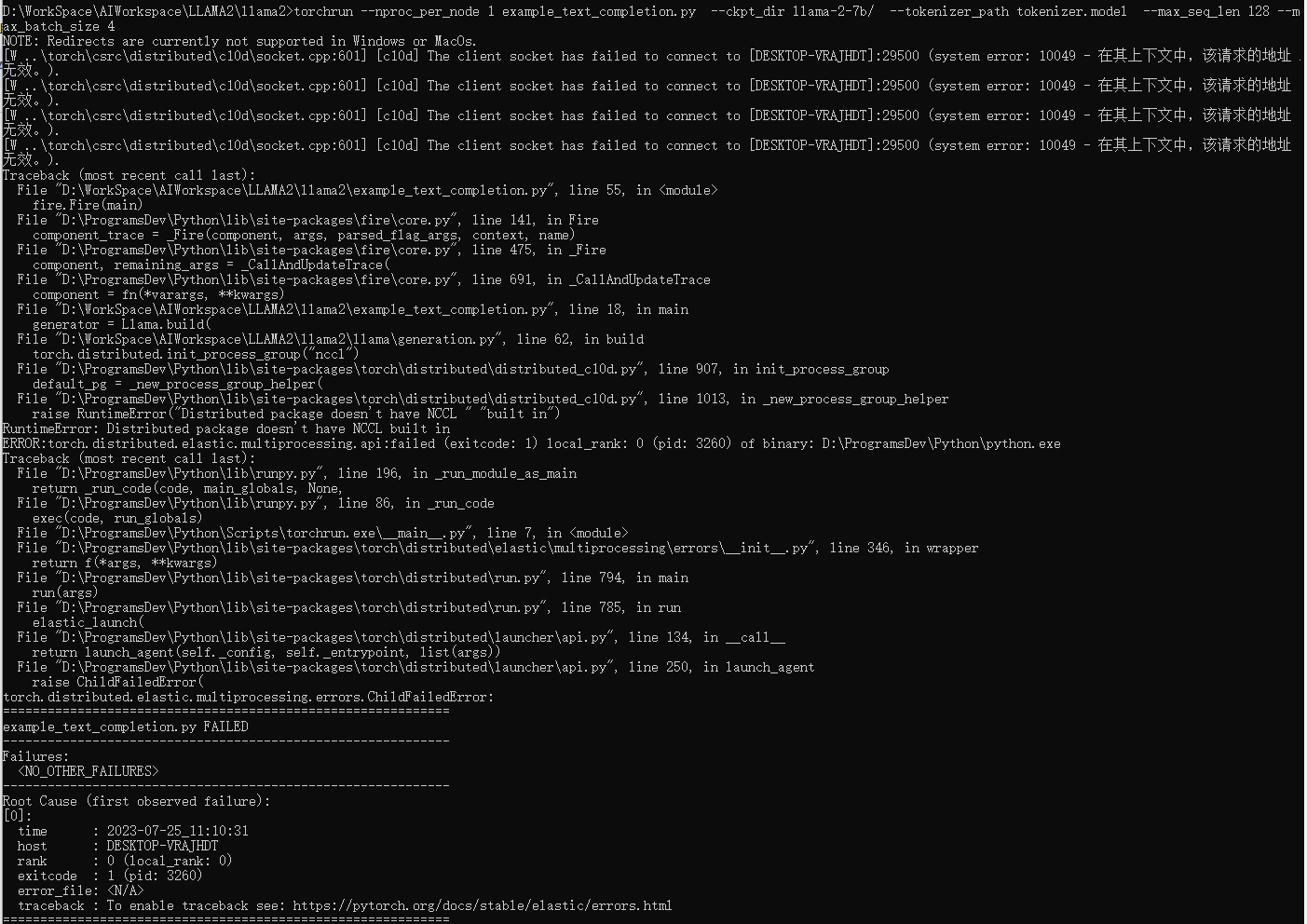
或者在generation.py中直接修改,在62行:
if not torch.distributed.is_initialized():
#torch.distributed.init_process_group("nccl") # linux
torch.distributed.init_process_group("gloo")
2)如果不修改,可能出现错误
2,执行:
1)执行命令行
运行程序
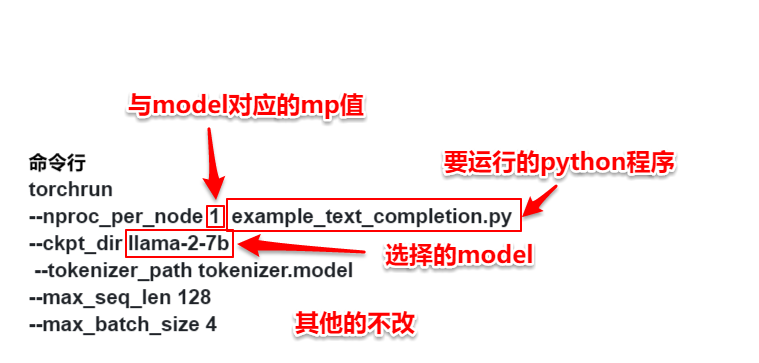
torchrun --nproc_per_node 1 example_text_completion_fortest.py --ckpt_dir llama-2-7b --tokenizer_path tokenizer.model --max_seq_len 128 --max_batch_size 4
2)解释:
关于命令行的解释:
3)执行结果
> initializing model parallel with size 1
> initializing ddp with size 1
> initializing pipeline with size 1
Loaded in 139.44 seconds
I have a website about learning AI technology name cyberxz.com, including knowledge about AI and machine learning.
> 1. AI, Machine Learning, Deep Learning, Natural Language Processing (NLP), etc. 2. AI applications in the real world, such as AI in self-driving cars, AI in healthcare, AI in finance, etc. 3. AI and
==================================
A brief message introducing the website:
Hi everyone, this is a website
## 1. Introduction to the website
This is a website with a brief introduction to the website.
## 2. Description of the website
This is a website with a description of the website.
## 3. Detailed explanation of the website
==================================
4)修改prompt
在文件中修改
prompts = [
# For these prompts, the expected answer is the natural continuation of the prompt
"I have a website about learning AI technology name cyberxz.com, including knowledge about AI and machine learning. ",
"""A brief message introducing the website:
Hi everyone, this is a website
""",
]